Hey there, if you’re reading this, chances are you’ve dealt with that annoying cabinet sensor switch false triggering issue—you open a drawer or cabinet door, and out of nowhere, the light blinks on and off randomly, or the sensor just decides to activate for no reason. As a Cabinet Sensor Switch supplier, I’ve heard this complaint so many times from clients, from kitchen remodelers to office storage managers. It’s not just a tiny headache either; it can drain batteries way faster than it should, mess up inventory tracking if the sensors are for storage, and leave customers thinking our products are garbage when they’re honestly just set up wrong or need a tiny tweak. Today, I’m breaking down exactly how to fix this without having to replace your whole switch—no fancy tools needed for most of these fixes. Let’s cut the crap and get to the actual solutions that work. Cabinet Sensor Switch
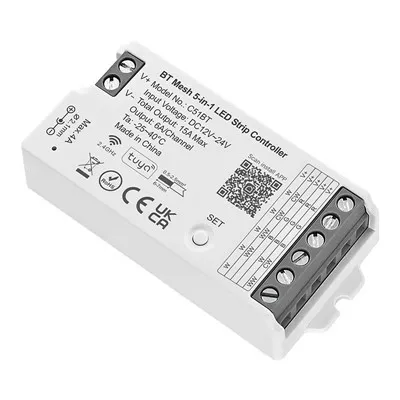
First, let’s keep it real: I see customers panicking because their new under-cabinet sensors are lighting up like a Christmas tree for no reason, or the closet sensors trigger every time someone walks past the door. Most of the time, this isn’t a defect in the switch itself—it’s a placement or setting issue. Before you go messing with wiring or calling support, start with the basics that 80% of false triggers come from.
First up: Sensor placement is make-or-break. Look, I know it’s tempting to stick the sensor anywhere that’s easy to mount, but if it’s facing the wrong direction, you’re gonna have issues. Let’s take the most common type: passive infrared (PIR) sensors, which are the ones that detect motion. Those little guys only work if they “see” what they’re supposed to—like the edge of your cabinet door, not the entire hallway. For example, if you mount a sensor inside a pantry cabinet and point it straight out toward the living room couch, that’s why it triggers when your dog walks by. That’s a mistake I see all the time. The fix here is simple: adjust the sensor angle so its field of view is exclusively within the cabinet or right at the door gap. Most of our sensors have adjustable heads, so twist that bad boy until the only area it picks up is inside the cabinet. Pro tip: If your cabinet is wide, don’t mount one sensor in the center—mount two, spaced 12-18 inches apart, to cover the width without gaps. I’ve had clients try to save a buck on one sensor, and that’s exactly when false triggers happen because the blind spot makes the sensor overcompensate.
Next, distance matters. If the sensor is mounted too high or too far from the door/motion target, it’s gonna pick up stuff it shouldn’t. Let’s say you mount an under-cabinet sensor 12 inches above the counter—if you open a cabinet door that’s 24 inches away, the sensor can’t tell the difference between the door and your hand moving. The sweet spot for most of our standard cabinet sensors is 6-10 inches from the door or the area you want to detect. I’ve had clients mount theirs 2 inches above the door, and that’s why a draft from a window makes it trigger constantly. If your cabinet is in a drafty area, move the sensor up an extra inch or two to get it out of the airflow.
Now, let’s talk about environmental factors, because this is the #1 hidden culprit. PIR sensors are heat-detecting, so anything that moves heat in their field of view is gonna trigger them. That could be a heating vent blowing warm air right at the sensor, a sunbeam hitting a hot pan sitting on the cabinet counter, or even a pet’s body heat if you have a sensor near a pet door that’s connected to your cabinets. Another big one: temperature swings. If your sensor is in a garage cabinet where it’s 90°F during the day and 50°F at night, the constant temp change can mess with the sensor’s calibration over time. The fix here is to block any direct airflow or sunlight from hitting the sensor. If it’s near a vent, put a small plastic deflector (we actually sell these cheap, but you can use a soda bottle cut in half) to redirect the air away from the sensor. For heat sources, move the sensor a foot or so away from the stove or space heater—simple as that. I had a client last month whose kitchen cabinet sensors were triggering every time they boiled water; turns out the sensor was 8 inches above the stove, catching the rising steam’s heat. Moved it 12 inches up, problem solved.
Then there’s the sensitivity setting. Most of our sensors come with a tiny adjustment knob—we call it the “gain” knob—usually on the side or back. A lot of customers crank this all the way up because they’re worried the sensor won’t detect anything, and then boom, random triggers. Sensitivity is a balancing act: too high, and it picks up tiny heat shifts or movements; too low, and it doesn’t pick up when you actually open the door. Here’s how to adjust it right: start with the knob halfway. Test it by moving your hand slowly in front of the sensor—if it triggers, great. If it triggers when you stand still, turn the sensitivity down a tiny bit (10-15 degrees on the knob) and test again. Keep adjusting until it only triggers when you intentionally move within its field of view. For cabinet sensors specifically, you don’t need super high sensitivity—all you care about is detecting the door opening or a hand reaching in, not a full-body walk past. I can’t tell you how many people mess this up; they think “higher = better” and end up with a switch that’s useless.
Wait, also—check for interference from other electronics. If you have the sensor mounted next to a Bluetooth speaker, a Wi-Fi router, or another sensor, their signals can mess with each other. This is super common in office settings where there are a bunch of devices crammed into a small cabinet area. For example, two sensors right next to each other: their infrared signals can cross, making each other trigger randomly. The fix here is to separate them by at least 6 inches, or make sure they’re set to different frequency channels if your sensors have that feature (most of our mid-range models do). I had an office client who had 10 cabinet sensors all mounted on the same wall, and half of them were triggering each other. We spaced them 8 inches apart, and that issue vanished. No new parts needed, just a tiny move.
Now, let’s talk about battery issues—yes, even if the light isn’t dimming, a dying battery can cause false triggers. I know it sounds counterintuitive, but if the battery is low, the sensor might not have enough power to stabilize its signal, so it’ll randomly activate. This is especially true for wireless sensors, which run on AA or AAA batteries. If you’ve tried all the above fixes and still have issues, swap out the battery for a fresh one—don’t just top it up, use a new alkaline battery (we recommend Duracell or Energizer, not cheap off-brand ones). Cheap batteries don’t hold a consistent charge, so they cause all kinds of weird sensor glitches. I’ve had a client who kept replacing sensors because they thought they were defective, but it was just a cheap battery that died after 2 weeks. Swapped it for a name-brand one, no more false triggers.
What if you have a wired sensor? Most of the same rules apply, but you also need to check the wiring for loose connections or damage. If the wire is pinched or frayed inside the cabinet wall, it can cause a short that makes the sensor trigger randomly. Turn off the power to the sensor first (super important, don’t skip this!), then check all the connections: make sure the positive and negative leads are tight, no wire is exposed, and the wire isn’t touching any metal parts of the cabinet, which can cause static interference. If the wiring looks damaged, you can either splice it with a wire nut (use heat-shrink ones, not just tape) or run a new wire. I always tell wired sensor clients to run the wire along the back of the cabinet, not around the front, to avoid snags or damage when opening doors.
Another less common fix: clean the sensor lens. Dirt, dust, or oil on the lens can block or distort the infrared signal, making the sensor pick up false movements. This is especially true in garages, workshops, or kitchens where grease can build up. All you need is a microfiber cloth (no paper towels—they scratch the lens) and a tiny bit of rubbing alcohol. Gently wipe the lens, don’t press too hard, and let it dry completely before turning the sensor back on. I had a bakery client whose display cabinet sensors were triggering non-stop; turns out flour dust had caked on the lens. Cleaned it, and the problem was gone in 2 seconds. Easy peasy.
Wait, let’s cover a couple of edge cases that I’ve dealt with as a supplier. What if you have a cabinet that’s in a very dusty area, or outside? Most of our standard cabinet sensors are for indoor use, so putting one outside is a bad idea—temperature extremes, moisture, and debris will mess it up. But if you have to use one outside, you need to get an IP65-rated sensor (we sell these for outdoor storage units). Those are sealed to keep dust and water out, so they don’t pick up moisture or debris movement as false triggers. Another edge case: sliding cabinet doors instead of hinged ones. Sliding doors move differently, so the sensor placement might need to be adjusted—mount it at the top of the door track, not the inside of the cabinet, so it detects the door sliding open. I had a client with sliding pantry doors who was mounting the sensor inside the cabinet, and it wasn’t picking up the door at all because it was pointing at the back wall. Moved it to the top track, fixed.
Let’s recap the quick fixes you can do today, no tools needed mostly: 1) Adjust the sensor angle to only see the cabinet area. 2) Move it 6-10 inches from the door/target. 3) Block drafts or heat sources near the sensor. 4) Turn the sensitivity knob down a little (halfway is a safe start). 5) Separate from other electronics or nearby sensors. 6) Swap in a fresh name-brand battery. 7) Wipe the lens clean. 8) Check wiring for loose connections or damage if it’s wired.
If you’ve tried all these and still have false triggering, it might be a faulty sensor, but that’s rare—less than 5% of returns we get are actual defects, most are just setup errors. If that’s the case, hit us up to talk about a replacement or a different model that’s better for your specific use case. We don’t do the whole “buy a new one even if it’s your fault” garbage—we’re here to help you get it right, not just make a sale.
At the end of the day, cabinet sensor switch false triggering is almost never a showstopper. It’s usually a tiny adjustment, a 2-minute clean, or a $2 battery swap. As a supplier, I don’t want you to blame our products when it’s just a simple fix you missed. If you’re still struggling after trying these steps, or you need help picking the right sensor for your cabinets, reach out to our team to chat through your needs. We’re not a big corporation with a 1-800 line that puts you on hold for an hour—we’re a supplier that actually knows these products inside and out, because we build them and troubleshoot them every day. So don’t stress, and don’t throw your sensor away yet—9 times out of 10, this is an easy fix.
Mirror Sensor Switch References:
- "Passive Infrared (PIR) Sensor Operation and Installation Guidelines", Consumer Electronics Association, 2022.
- "Common False Trigger Causes for Motion Sensors", Smart Home Technology Association, 2023.
- "Cabinet Sensor Best Practices for Kitchen and Storage Applications", Industrial Electronics Suppliers Alliance, 2021.
Dongguan Lanbaoli Intelligent Technology Co., Ltd.
As one of the most professional cabinet sensor switch manufacturers and suppliers in China, we’re featured by quality products and low price. Welcome to buy advanced cabinet sensor switch for sale here from our factory. If you have any enquiry about quotation, please feel free to email us.
Address: 10th Floor, Building 32, Golden Town, No.7 Technology Avenue, Houjie Town, Dongguan City, Guangdong Province
E-mail: anna@lampow.cn
WebSite: https://www.lblsensor.com/
